How to open links in a specific Chrome profile on Mac
Chrome has no setting for this: a link from another app opens in the profile you used last. BroSwitch, set as the default browser, sends each link to the profile where you are signed in to that site, or asks you with one keystroke.
Without extra software
Chrome sends every link that comes from another app (Mail, Slack, Notes…) to the last profile you used. So a work link lands in your personal profile whenever that is the window you touched last.
- Click inside a window of the profile you want before clicking the link, so it becomes the “last used” one.
- Or right-click the link, choose Copy Link, switch to the right profile and paste it in the address bar.
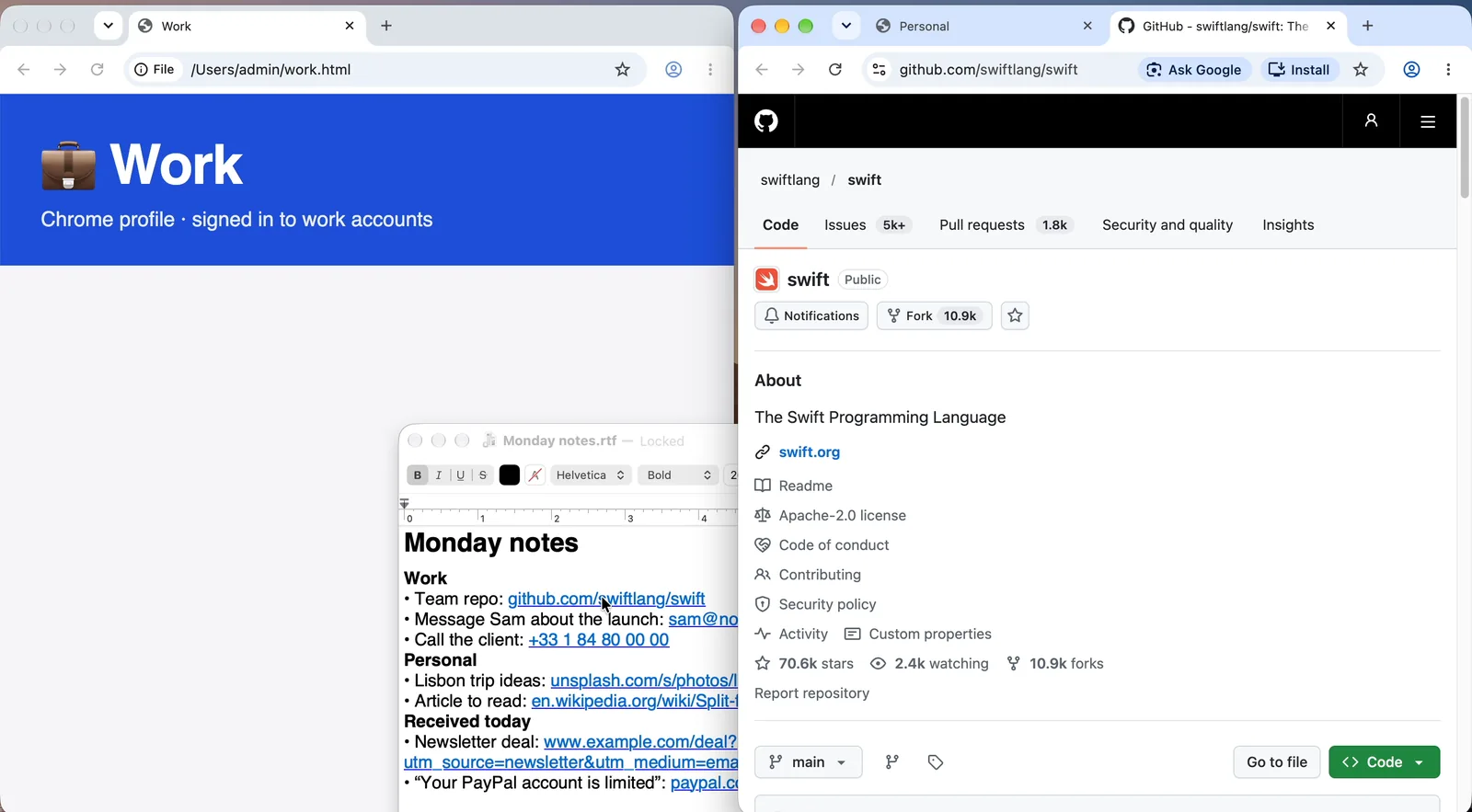
Both workarounds depend on you remembering, every time.
With BroSwitch
- Install BroSwitch and click Make BroSwitch the Default Browser in its welcome window, then Use “BroSwitch” in the macOS dialog.
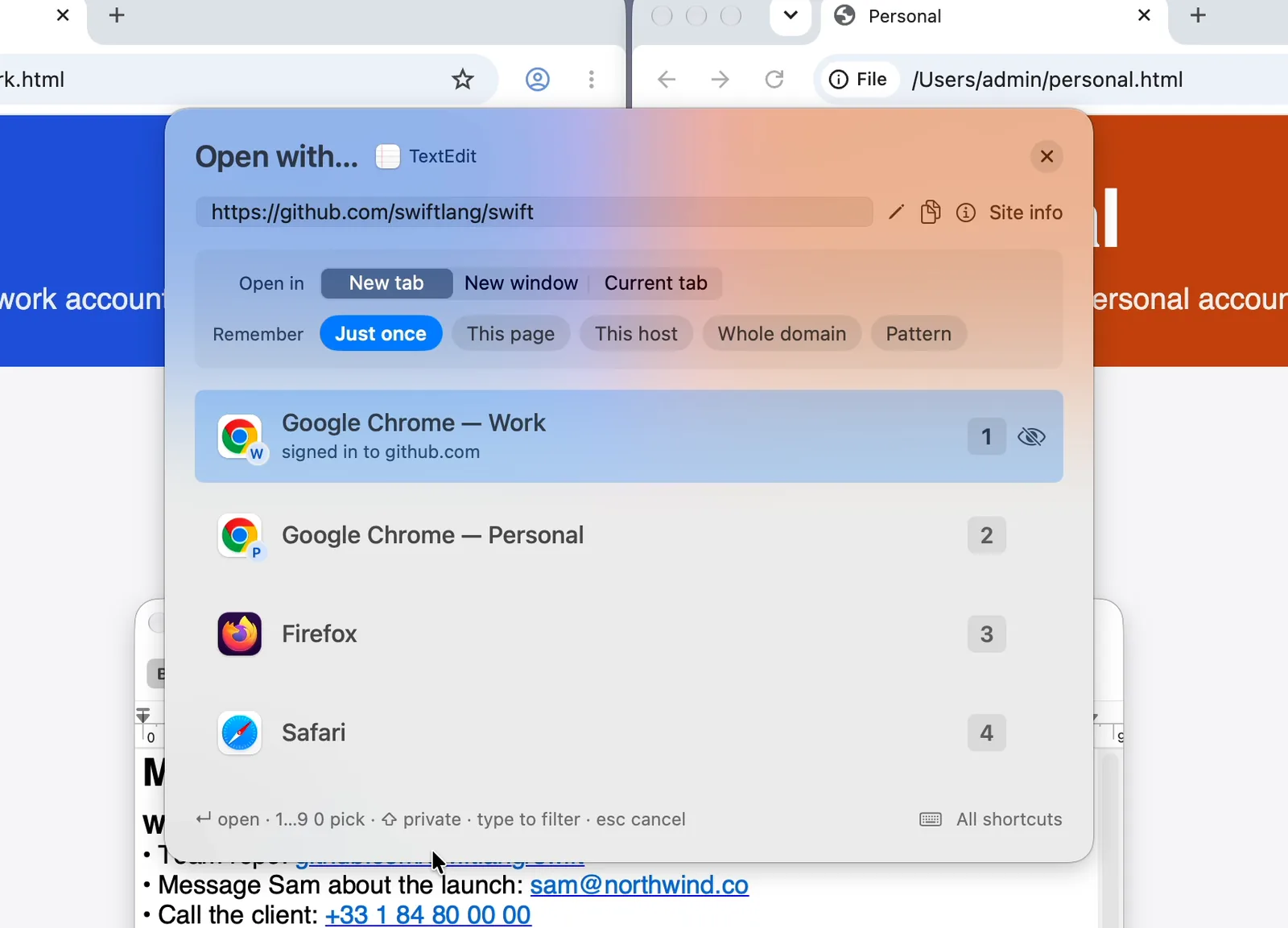
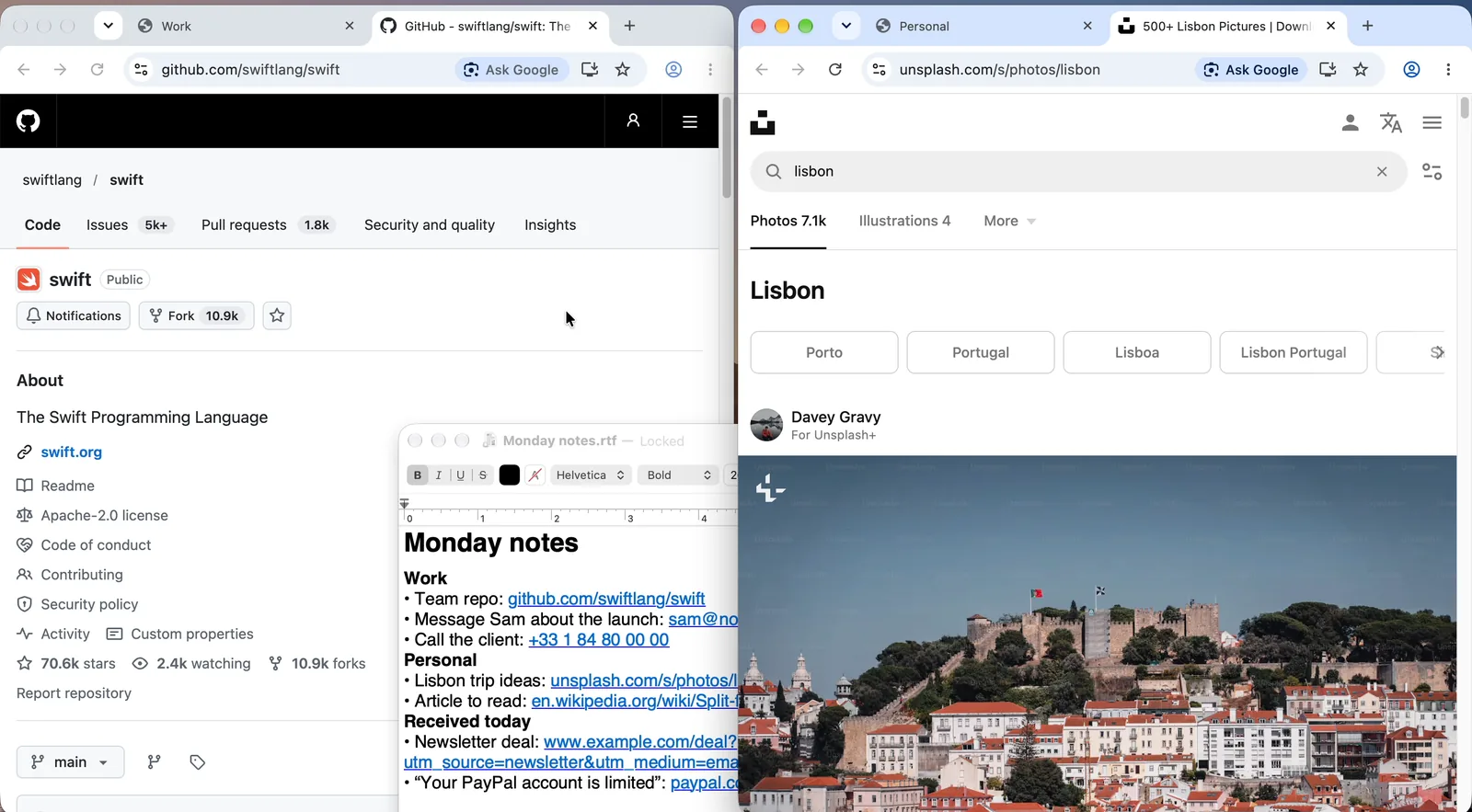
- Click any link. If only one profile is signed in to that site, the link opens there directly.
- Otherwise the picker opens with the most likely profile preselected: press ↵, or the number shown next to a profile.
- To skip the question next time, choose This host or Whole domain under Remember before picking.
BroSwitch reads which sites each profile is signed in to from cookie names and dates in the profile folder, on your Mac. Cookie values are never read and nothing is sent anywhere.
Watch it
Questions
- Does it work with Edge, Brave, Arc or Firefox profiles?
- Yes. Profiles are detected in Chrome, Chromium, Brave, Edge, Vivaldi, Arc, Dia, Opera and Comet, and in Firefox, Zen and LibreWolf (including Firefox containers).
- Why does macOS ask for permission?
- macOS protects other apps’ data. Allow BroSwitch under System Settings › Privacy & Security › Files & Folders (or Full Disk Access) so it can see which profile is signed in where.
- Can I force a site into one profile?
- Yes, with a rule (Settings › Rules), or by choosing a Remember option in the picker.