How to always open a website in a specific browser on Mac
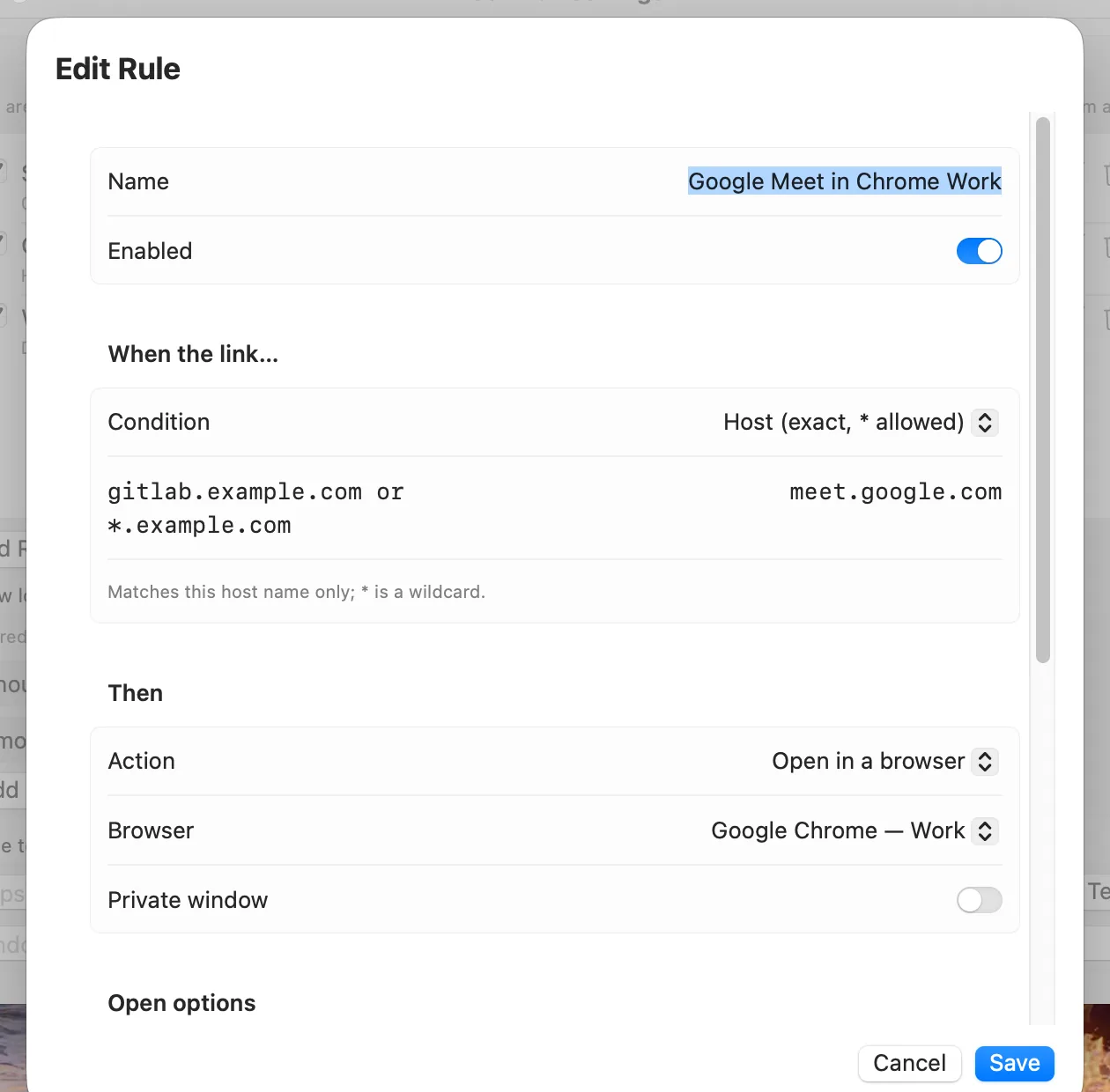
Add a rule in BroSwitch for the site (for example meet.google.com → Google Chrome — Work). Every link to it then opens there, whatever your default browser was.
Without extra software
macOS has no per-site browser setting. Some sites offer their own desktop app instead; otherwise you copy the link into the browser you want.
With BroSwitch
- Settings › Rules › Add Rule…
- Condition: Host (exact, * allowed) with
meet.google.com, or Domain and subdomains for a whole site. - Action: Open in a browser, then the browser and profile.
- Save. Quicker: in the picker, select the browser, choose Whole domain under Remember and pick (or hold ⌥ while picking).
Questions
- Can a rule be temporary?
- Yes: turn on “Temporary rule” with an end date, or choose a duration in the picker (1 hour, 24 hours, 1 week, 1 month).