How to remove tracking parameters (utm, fbclid) from links on Mac
Newsletter and social links carry tags such as utm_source, fbclid or gclid. BroSwitch removes them before the browser sees the link, so the page opens on the clean address.
Without extra software
Some browsers remove a few known parameters in private windows, and extensions can clean links inside the browser. Neither helps for links you click in Mail, Slack or a PDF, and you can always delete the end of the address by hand.
With BroSwitch
- Open BroSwitch Settings › General and keep Always remove tracking parameters before opening on (it is on by default).
- Click a link: when trackers are found the picker shows Remove trackers (N), and the address is already the clean one.
- Pick the browser. The page opens without the tags.
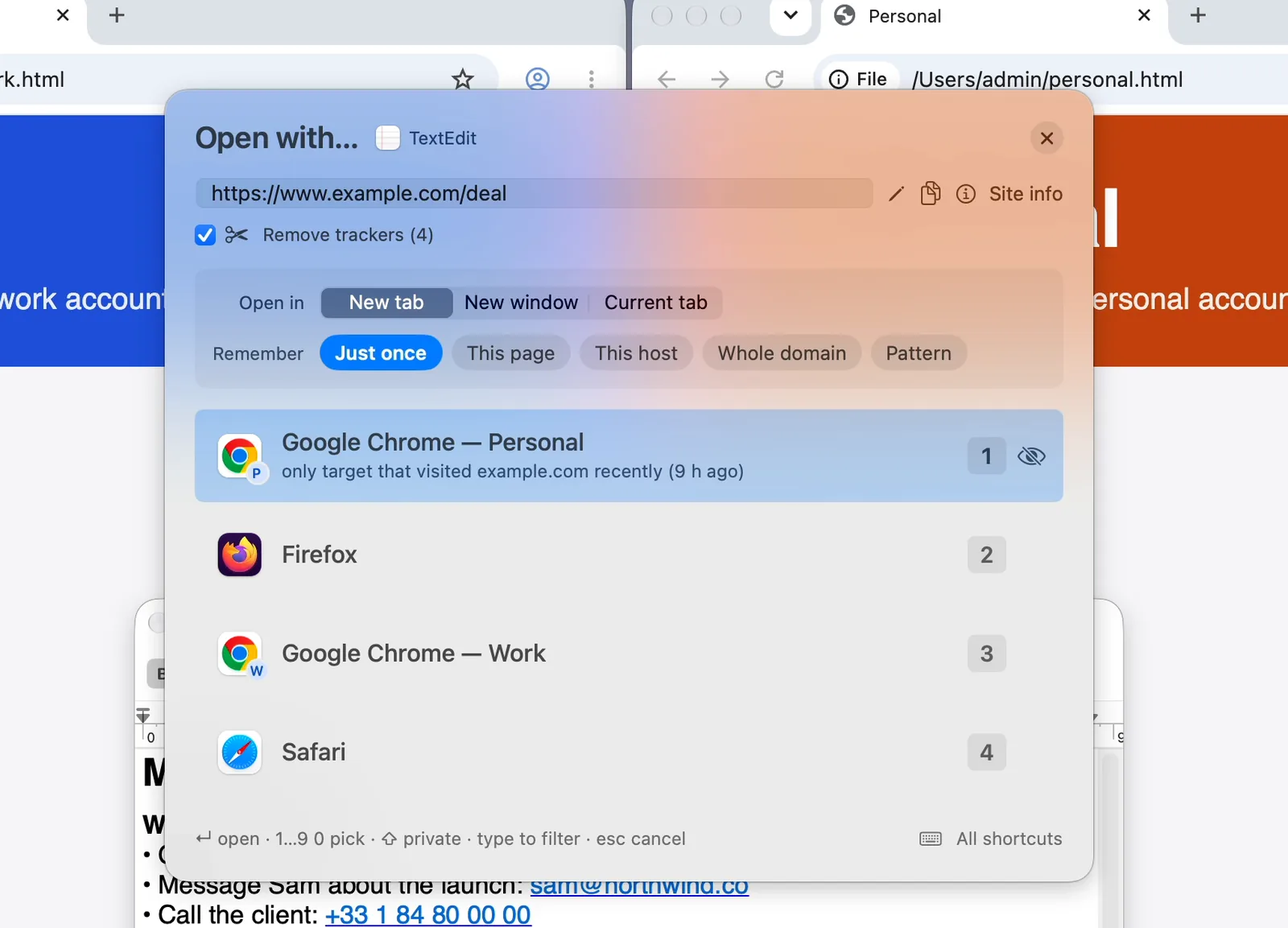


Removed: utm_*, fbclid, gclid, msclkid, mc_cid, igshid, yclid, ttclid, _hsenc, mkt_tok and about thirty more. Affiliate codes and parameters a page needs to work are kept.
Watch it
Questions
- Can it break a page?
- Only tracking parameters are removed, not functional ones. You can untick “Remove trackers” in the picker for a link, and the choice is remembered.
- Is any request made?
- No. Cleaning is done on your Mac, before anything is opened.