How to spot a lookalike (phishing) domain before opening a link
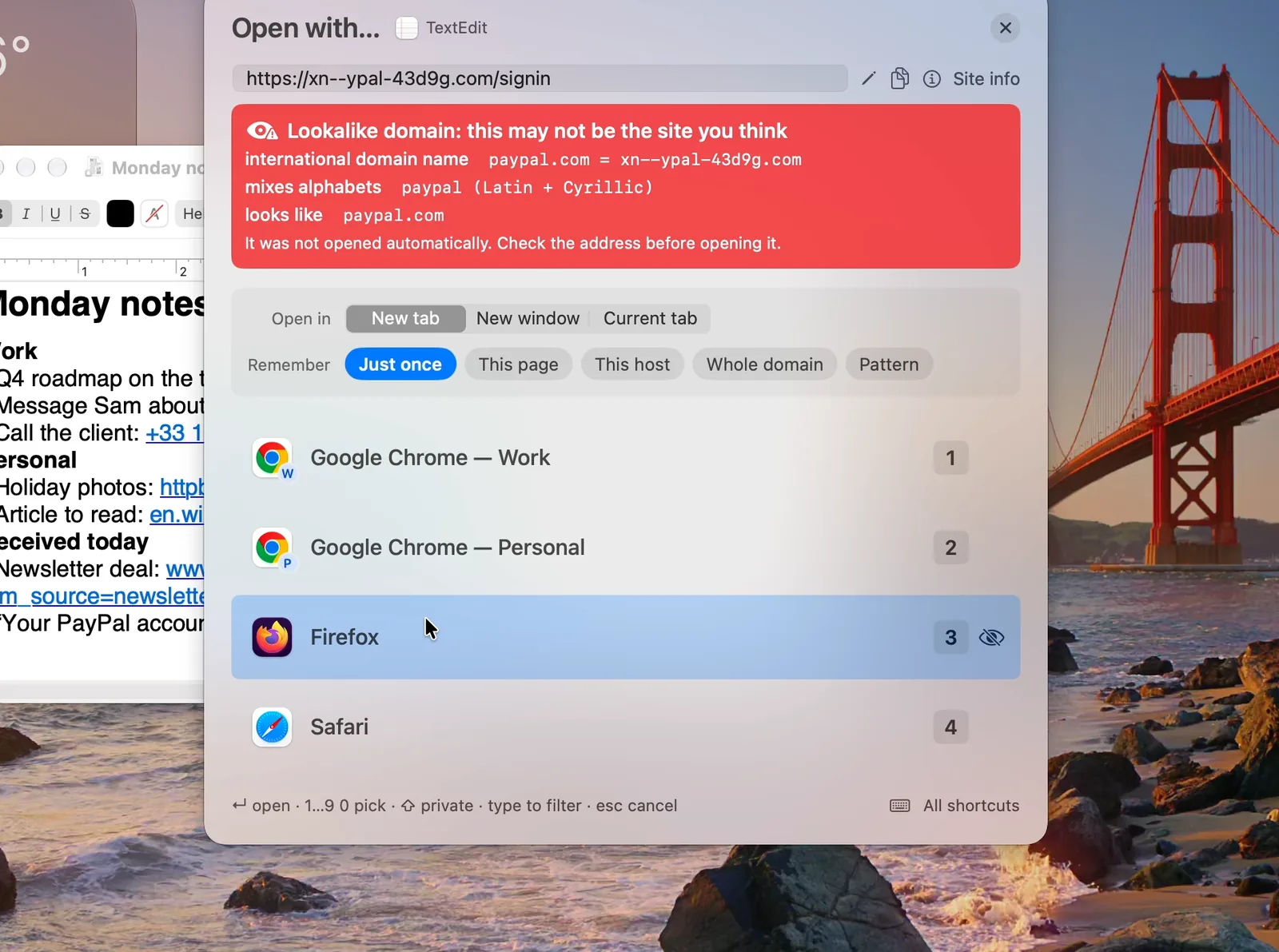
Lookalike domains swap Latin letters for identical Cyrillic or Greek ones (раypal.com). BroSwitch checks every link on your Mac and, if the name mixes alphabets or imitates another, shows a red warning and never opens it by itself.
Without extra software
- Hover the link and read the address in the status bar before clicking.
- Be wary of a name that starts with
xn--: it is an international name written in another alphabet. - Type important addresses (your bank, PayPal) yourself or use a bookmark.
A Cyrillic “а” and a Latin “a” look the same in most fonts: reading carefully is not always enough.
With BroSwitch
- Keep Warn before opening suspicious links on in Settings › General (on by default).
- Click the link: a red banner reads Lookalike domain: this may not be the site you think, with the real spelling and what it imitates.
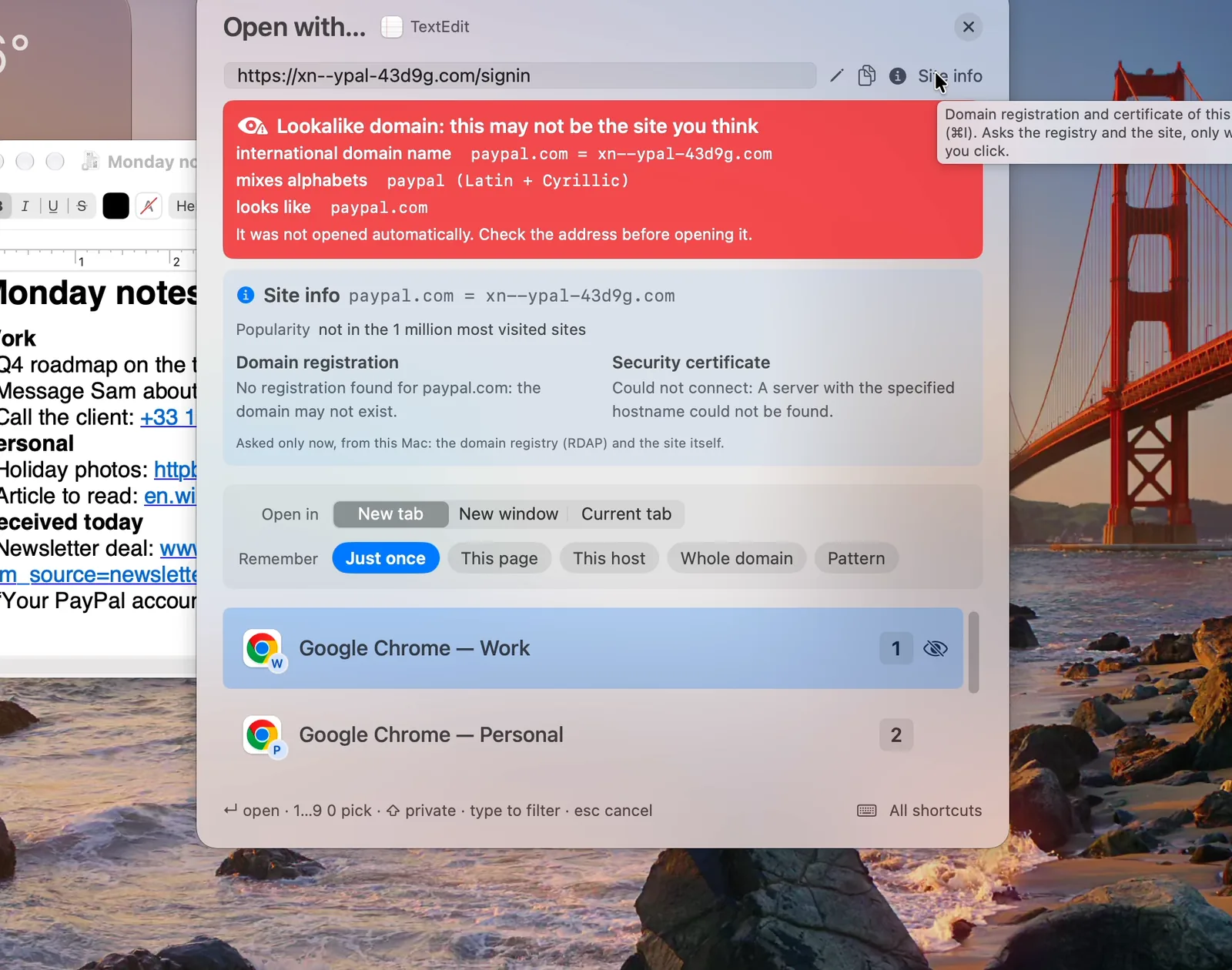
- Click Site info (⌘I) to see when the domain was registered and who issued its certificate.
Watch it
Questions
- Does BroSwitch send the links it checks anywhere?
- No. The lookalike check runs on your Mac. Site info contacts the domain registry and the site only when you click it.
- Can a rule open such a link automatically?
- No. Suspicious links always wait for you, even when a rule matches or the screen is locked.