How to see where a short link goes (bit.ly, t.co, lnkd.in) before opening it
BroSwitch asks the shortener where a short link points (without loading the page) and shows “Expanded from …” in the picker, so you see the real site before choosing to open it.
Without extra software
Some shorteners have a preview page: add + after a bit.ly link, or use an online “unshorten” service, which then sees the link too.
With BroSwitch
- Keep Expand short links on in Settings › Links (on by default).
- Click a short link: the picker shows the destination and Expanded from aka.ms/vscode.
- Tracking tags in the destination are removed as for any link.
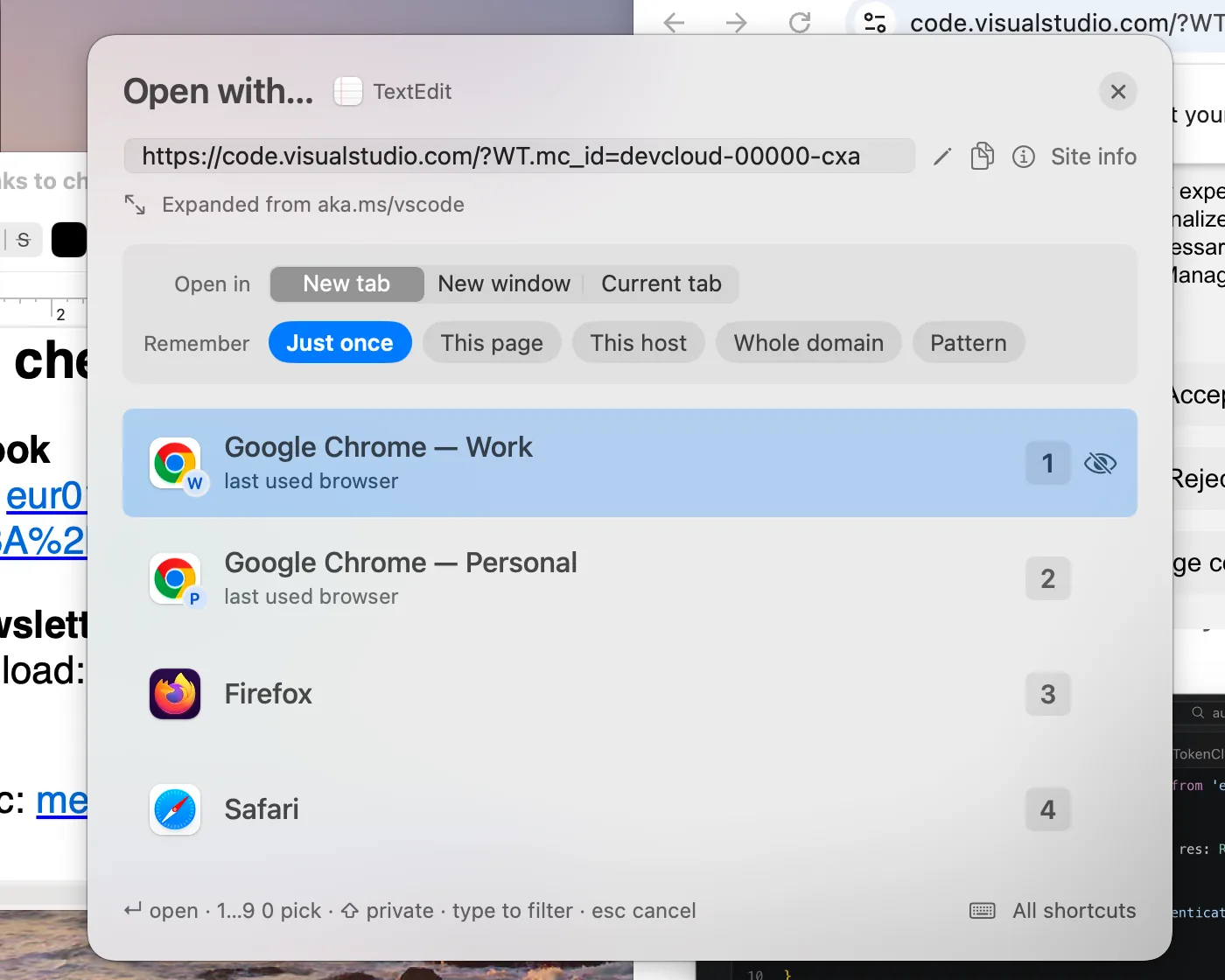
Only the shortener is contacted (no cookies, 2 seconds at most, at most five hops); the destination page itself is not loaded. Covered: bit.ly, t.co, lnkd.in, aka.ms, tinyurl.com, buff.ly, ow.ly, amzn.to, apple.co, spoti.fi, forms.gle and more than twenty others.
Questions
- What if the shortener does not answer?
- After two seconds the short link is routed as it is.