How to choose which browser opens each link on Mac
macOS sends every link to one default browser. A browser picker such as BroSwitch becomes that default and lets you choose, link by link, or decides for you.
Without extra software
You can only change the single default browser in System Settings › Desktop & Dock › Default web browser, and switch it back and forth.
With BroSwitch
- Make BroSwitch the default browser (from its welcome window).
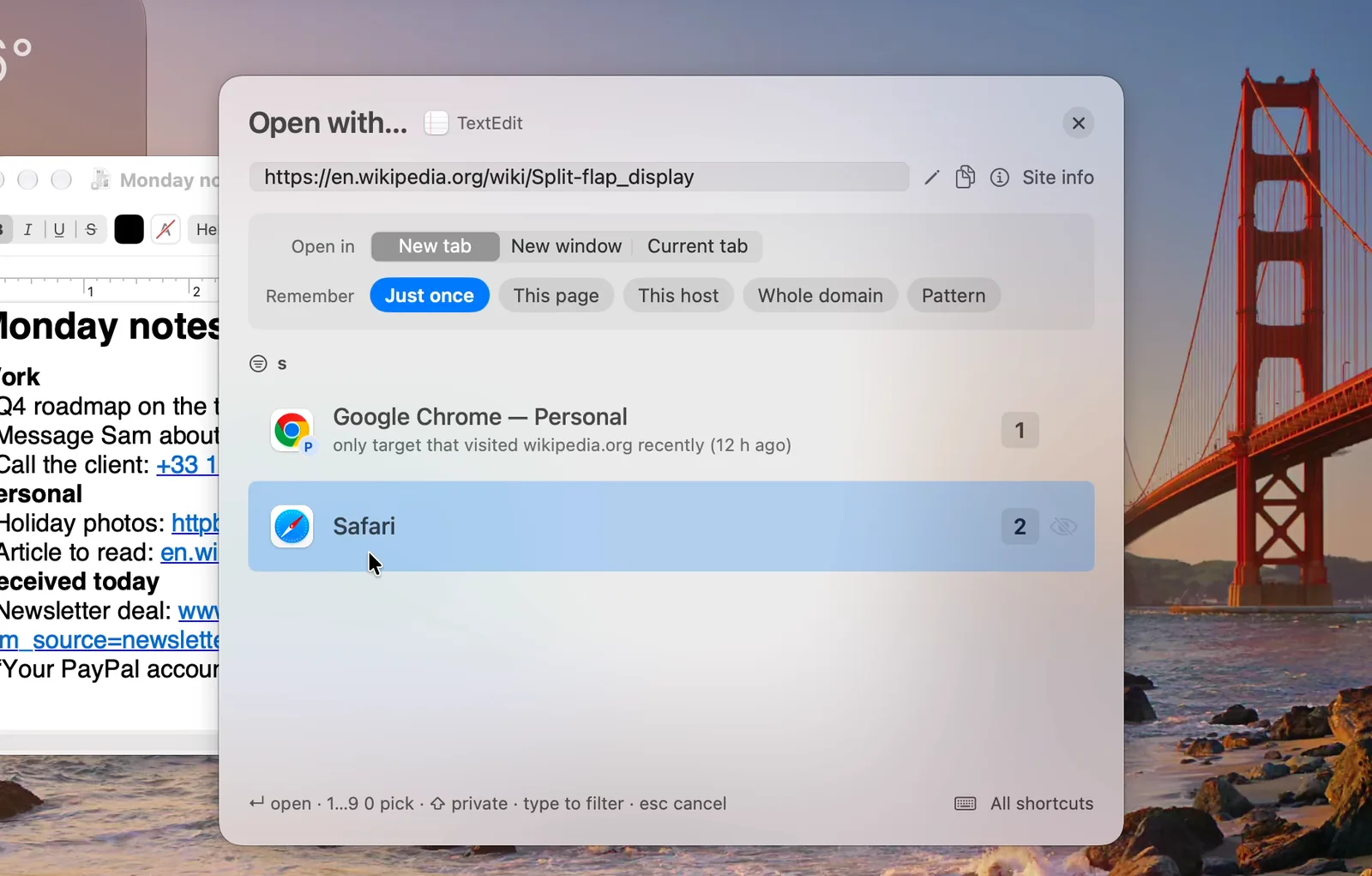
- Click a link: the picker lists your browsers and profiles, best guess first.
- Press ↵, a number 1…9, or type a few letters to filter; ⇧ opens a private window and esc cancels.
- Under Remember, choose This page, This host or Whole domain to make it permanent, or for a set time with ⌘D.
Watch it
Questions
- How is BroSwitch different from Velja, Choosy or Finicky?
- It also decides on its own from where you are signed in and what you visited recently, and it holds back lookalike domains. See the comparison.
- Does it slow links down?
- No. The picker appears in a fraction of a second, and links that a rule or a signal settles open directly.