How to open Zoom, Teams or Figma links in the desktop app on Mac
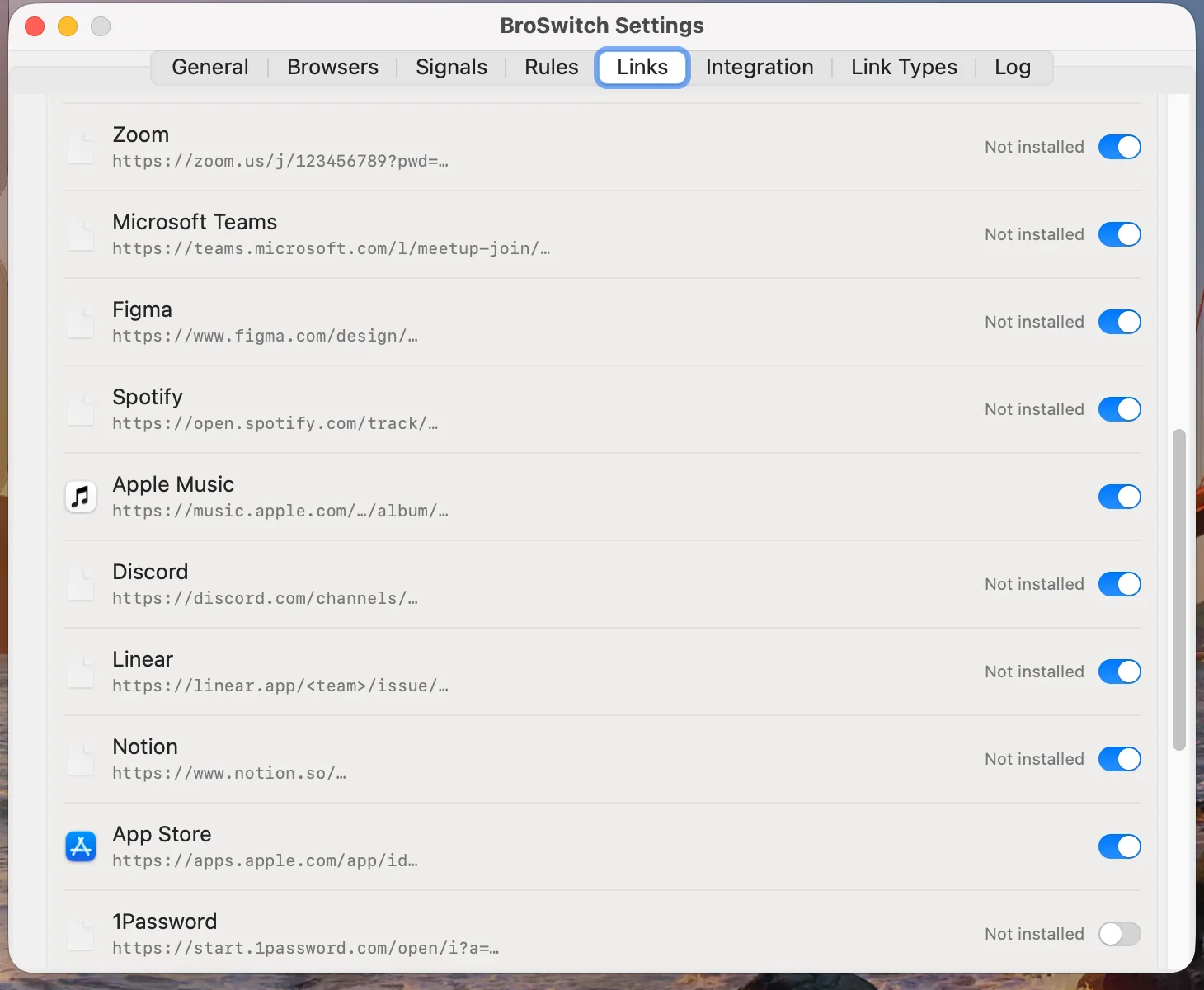
BroSwitch recognises web links of Zoom, Microsoft Teams, Figma, Spotify, Apple Music, Discord, Linear, Notion and the App Store, and opens them in the Mac app when it is installed.
Without extra software
Without help, these links open a browser tab first, which then asks to launch the app (and leaves an empty tab behind).
With BroSwitch
- Settings › Links › Open in desktop apps: keep Open links of these web apps in their Mac app when it is installed on.
- Turn individual apps on or off in the list below (1Password is off by default).
- Click a meeting or design link: it goes straight to the app.
Questions
- What if the app is not installed?
- The link goes through the usual browser choice.
- Do my rules still win?
- Yes, a rule for the same link is checked first.